Character Sheets
Watch our tutorial video on our YouTube channel.
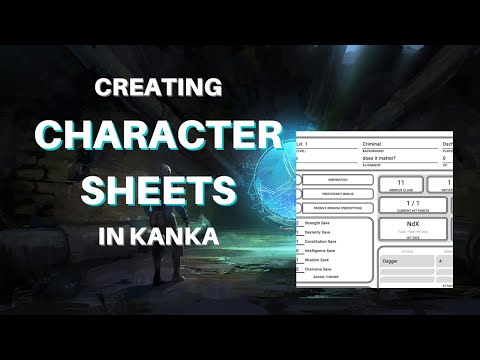
Character sheets let you create custom layouts for your characters in Kanka, giving you full control over how information is presented. Whether you want a crisp minimalist sheet for a modern detective, a parchment-styled layout for a wandering bard, or a sprawling profile fit for a cosmic horror campaign, you can build it through the Plugins Library using simple, flexible template syntax.
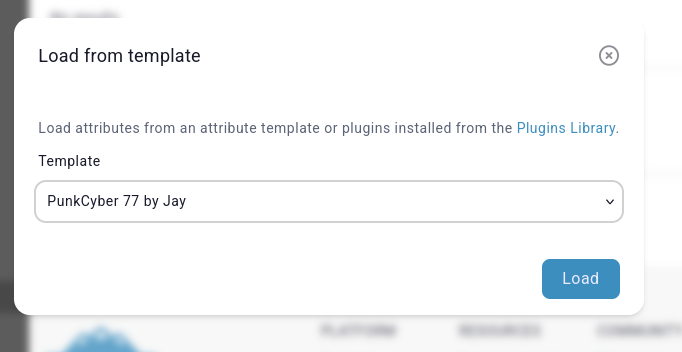
Character sheets live inside plugins that you install on your campaign. Each sheet defines a custom HTML layout for the entry. Once installed, your sheet appears as an option when creating or editing an entry’s properties.

How character sheets work
A character sheet is made of HTML-like markup, combined with helper tags that pull data directly from the entry. These helpers are safe, predictable, and designed to give you powerful access to entry fields without needing to touch any actual code. You can display properties, properties, and more, all while keeping the syntax readable for non-technical users.
The rendering engine processes your template, replaces all helper tags with real entry data, then outputs a clean page that players can view and edit.
Using template helpers
To build your sheet, you will use template helpers that are specific to Kanka’s plugin system. These helper tags behave a bit like functions. They fetch or transform data, or insert conditional blocks. You might use a small handful for a simple layout, or dozens if you are building something particularly elaborate.
A full reference for these helpers can be found in the syntax documentation: plugins.kanka.io/helpers/template-html
It covers every available tag in detail, so you can dip in whenever you need the precise behaviour of a specific helper.
Here are a few common examples you will use early on:
{{ $_entity_name }}
Inserts the entry’s name.
{{ $height }}
Fetches and displays the property named “Height”.
@isset($height) … @endif
Shows a block only when the entry has a height property.
These helpers keep the template legible, which means you can return to your sheet months later without feeling lost.
Structuring your sheet
A good sheet groups information clearly. Start with a simple header section that introduces the character at a glance, then break the rest of the layout into sections that suit your campaign. Some creators prefer rigid panels with sharp lines and neat typography, while others lean toward looser layouts with flowing sections that match the campaign’s tone. Both work beautifully, and there is no single right way to do it.
Consider adding:
A small banner with the character’s title, rank, or role.
A biography section that supports longer prose.
A simple table of core facts, such as age, pronouns, species, or affiliations.
Panels that highlight properties or recurring traits.
A block for story hooks or campaign-specific notes that players might find handy.
The aim is to help readers absorb the most important details without needing to dig through the default tabs.
Styling and design
You can use lightweight inline styling or your own custom CSS through the plugin. Keep in mind that character sheets should be readable on both large screens and smaller devices, so avoid tiny text or overly intricate layouts. A touch of colour can make a sheet feel inviting, although it is usually wise to keep things subtle so that the content remains the star of the show.
If your campaign uses multiple sheets from different plugins, small stylistic differences are entirely normal, and can even add character to each faction or world.
Testing your sheet
After saving a sheet in your plugin in a draft state, install the plugin on a campaign where you can experiment safely. Create a disposable test character and load your sheet from the template selector. Then hop back and forth between the editor and your template to see how changes behave in practice. It often helps to try a few characters with different property kits, just to make sure your conditional blocks work as intended.
The goal is not perfection on the first pass but a comfortable loop where you make changes, observe the output, and gradually shape the sheet into something you enjoy.